Calendar Views
Homeschool Scheduler offers multiple ways to view your schedule, from a broad monthly overview to detailed daily task management.
Student & Subject Filtering
At the top of any calendar view, you can filter what's displayed:
- Student filter — Select which students' lessons to show
- Subject filter — Show only specific subjects or curricula
- Filters persist as you switch between views
Month View
The month view shows a traditional calendar with colored dots indicating:
- Scheduled lessons (colored by student)
- Completed lessons (shown with checkmarks)
- Holidays and breaks (shown with special indicators)
Tap any day to see its details or jump to the day view. The today chip highlights the current date so you can quickly orient yourself.
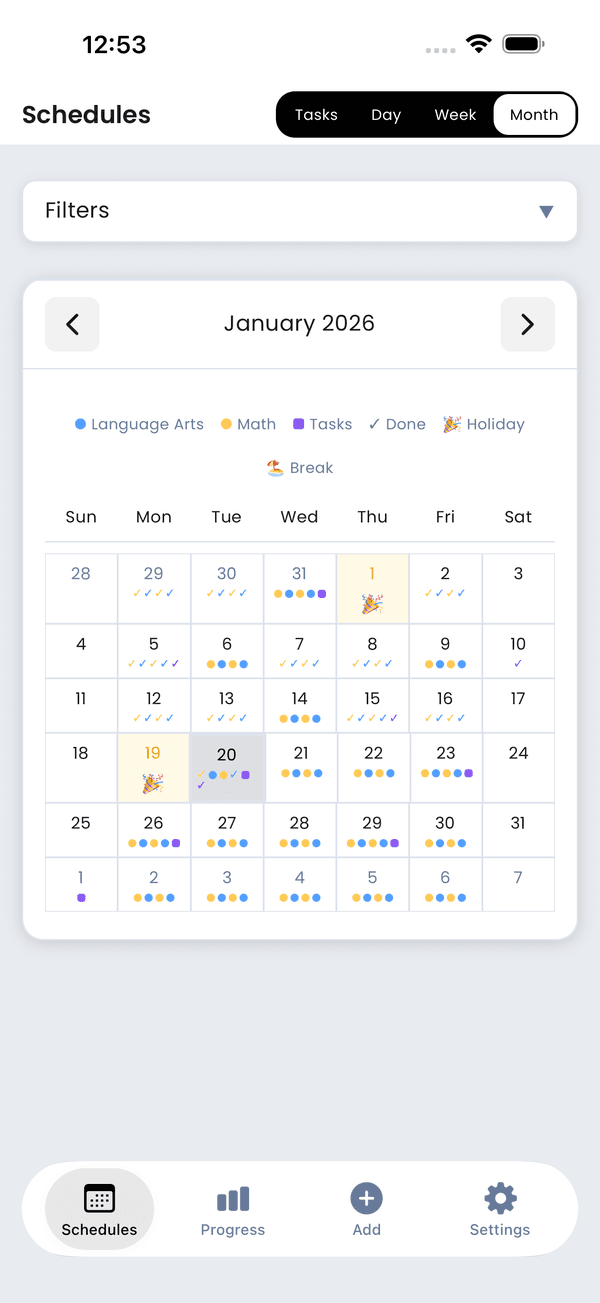
Month calendar view
Week View
The week view provides more detail, showing individual lesson cards for each day. Scroll horizontally to move between weeks. Pull down to refresh data if syncing with other devices.
Day View
The day view shows all lessons and tasks scheduled for a specific date with full details:
- Student name and curriculum
- Lesson number and title
- Completion status
- Quick complete/incomplete toggle
- Lesson timer controls
Use the navigation arrows or swipe to move between days.
Task View (Kanban)
The task view organizes today's lessons and tasks into columns:
- Not Started — Lessons and tasks waiting to begin
- In Progress — Currently working on
- Completed — Finished items
Kanban Navigation
A week navigation strip at the top lets you quickly jump to any day in the current week. Swipe the strip or tap a date to switch days.
Card Details
Each kanban card shows:
- Student name with their color indicator
- Subject and curriculum
- Coin reward for completing the item
- Priority badges for high-priority tasks
- Timer indicator if a lesson timer is running
Card Actions
- Tap a card to view notes and details
- Long-press a card for a menu with options (start timer, add notes, skip, reschedule)
- Quick timer — Start/stop the lesson timer directly from the card
- Drag and drop cards between columns to update status
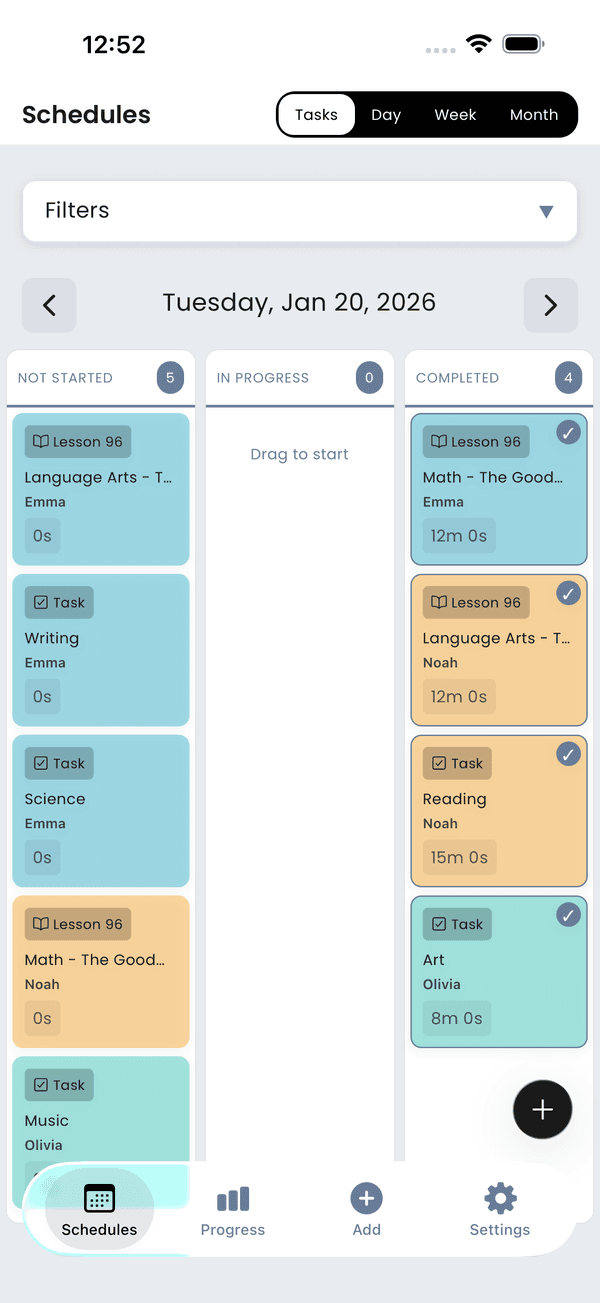
Kanban task view