Settings
The Settings tab lets you customize Homeschool Scheduler to fit your family's needs, from visual themes to quick-task presets and school-calendar rules.
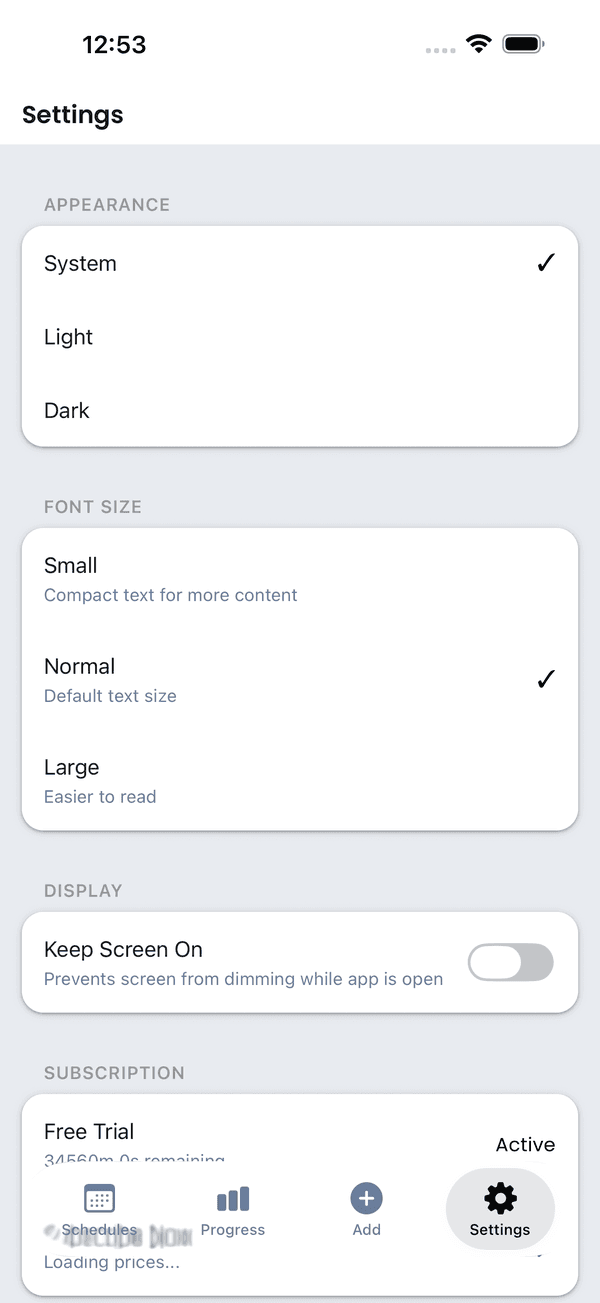
Appearance
Theme
Choose your preferred theme:
- System — Follows your device's light/dark mode setting
- Light — Always use light mode
- Dark — Always use dark mode
Font Size Scaling
Adjust the text size throughout the app with the font size slider:
- Five sizes: XS (0.75x), Small (0.85x), Normal (1.0x), Large (1.15x), and XL (1.3x)
- Affects all text in the app — lesson names, labels, buttons, and more
- Preview changes in real time as you adjust the slider
Screen Keep-Awake
Enable Keep Screen Awake to prevent your device from going to sleep while the app is open. This is especially useful during lessons when you're referencing the schedule but not actively tapping the screen.
Haptic Feedback
Toggle Haptic Feedback to enable or disable vibration responses when interacting with the app (completing lessons, earning coins, etc.). Disable this if you prefer a quieter experience.
Quick Tasks
The Quick Tasks section in Settings is where you manage reusable task presets.
- Create templates for recurring chores, reading check-ins, drills, or practice work
- Save the default notes, coin reward, priority, and school-task flag once
- Edit or delete templates without affecting finished tasks from earlier days
- Launch saved templates later from the app's Quick Tasks add flow
See Tasks & Extra Work for how quick-task templates are used day to day.
School Calendar
The School Calendar section combines national holidays, school events, and schedule rules.
National Holidays
Toggle Include National Holidays to automatically skip major holidays when scheduling lessons. The app includes US federal holidays by default.
School Events
Add your own holidays and breaks:
- Single Day — For individual holidays or days off
- Date Range — For vacations, spring break, etc.
- Special event types — Track field trips, co-op days, testing, sick days, and other custom events
When you add or modify breaks, you'll be asked if you want to recalculate existing schedules to account for the changes.
See Day Overrides for the full breakdown of event types, recurrence, and lesson behavior.
Custom breaks settings
Lesson & Task Settings
Auto-Reschedule Missed Lessons
Enable this to automatically push incomplete lessons to the next available school day. See Lesson Management for details.
Skip Tasks on Holidays/Breaks
When enabled, recurring tasks will not appear on days that fall on configured holidays or custom breaks.
Completion Bonuses
Configure bonus coin amounts for daily and weekly completion:
- Daily Completion Bonus — Coins earned when all work for the day is complete (0–100)
- Weekly Consistency Bonus — Coins earned for completing all work every day of the school week (0–100)
See Completion Bonuses & Streaks for details on how bonuses work.
Notifications
Configure four types of notifications — daily summaries, weekly recaps, streak-at-risk alerts, and task timer warnings. Each can be toggled and configured independently. See Notifications for full details.
Family Sync
Use Family Sync to keep shared data synchronized across linked devices. See Family Sync for the full guide.
Backup & Restore
Create manual backups and restore from previous saves. See Backup & Restore for the full guide.